
Meta Quest 2/3/3S Charging Dock Guide 2026:
Is It Worth the Upgrade?
The virtual reality landscape has evolved rapidly by 2026. The Meta Quest 2, Meta Quest 3 and the accessible Quest 3S headset have set new industry standards for immersive experiences, moving beyond simple gaming into complex mixed reality environments. However, power management remains the primary friction point for enthusiasts. A dedicated charging dock is no longer just a luxury; it is an essential investment in both hardware longevity and the "grab-and-go" convenience that modern users demand. This guide explains the technical, ergonomic, and financial benefits of upgrading your VR setup. It helps keep your Meta Quest 2/3/3S ready for performance, and it removes the cable clutter common in many desk gaming stations.

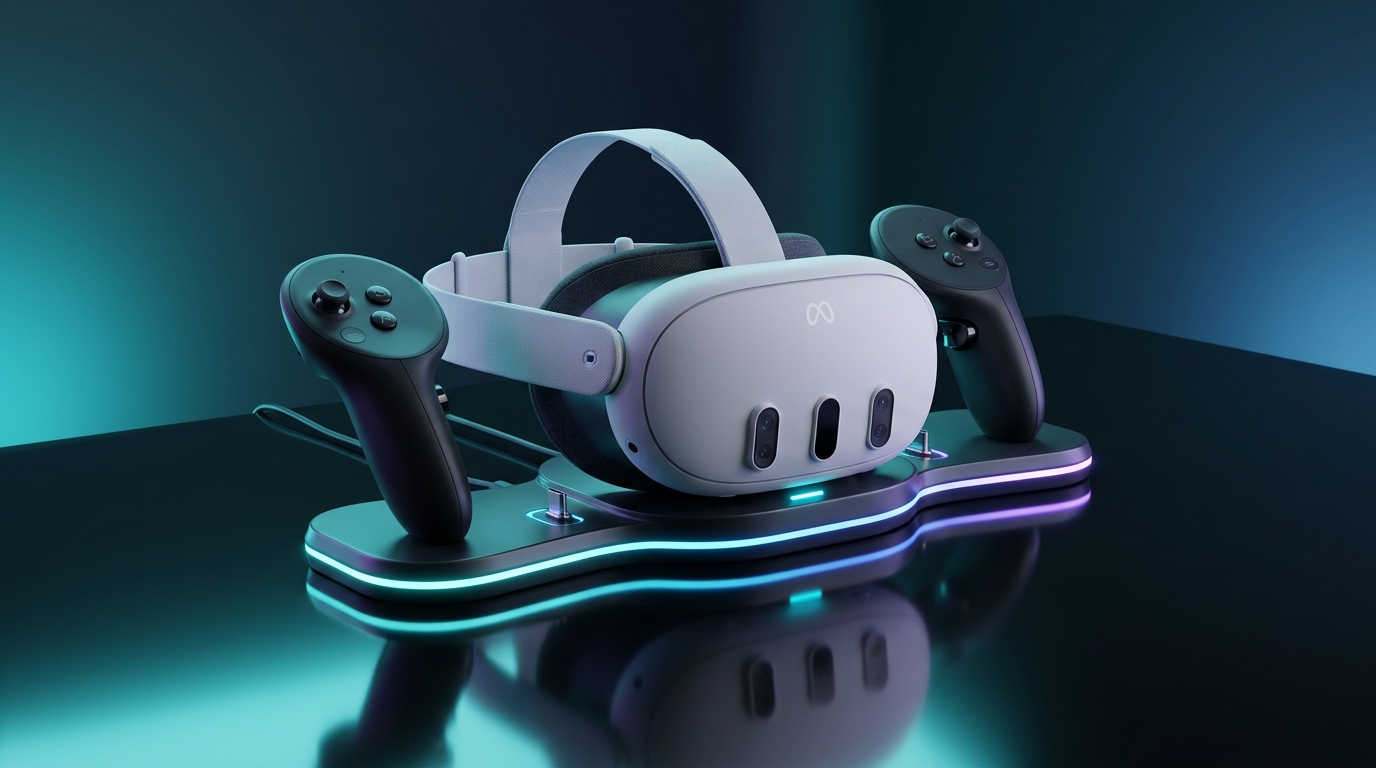
At a Glance: Why Upgrade to a VR Charging Dock?
Compare traditional loose cable charging versus a professional dedicated charging station:
| Feature | Loose USB-C Cables | WatchMyVR Smart Dock |
|---|---|---|
| Convenience | Fumble with separate wires | Grab-and-Go Ready |
| USB-C Wear | High friction & port stress | Zero Port Fatigue (Magnetic) |
| Controller Charging | Swap AA batteries constantly | Simultaneous wireless charging |
| Battery Protection | Risk overcharging/heat | Smart IC auto-cut protection |
| Desk Aesthetics | Cable clutter & loose gear | Sleek RGB display stand hub |
Beyond Gaming: The High-Demand Mixed Reality Era
The shift toward mixed reality (MR) has fundamentally altered how we utilize our hardware. Modern MR applications require constant spatial mapping, high-definition passthrough, and heavy sensor tracking to blend digital assets with your physical room. These processes demand significantly more sustained power than traditional gaming. When you add a dedicated Charging Station, you change from a "charge-and-wait" cycle to a "ready-to-go" lifestyle. This ensures your VR headset is ready for long sessions, and you do not need to manage a charging cable manually.
The Quest 3 and 3S Power Profile: Snapdragon 8 Gen 3 and MR Mode Demands
The internal architecture of the Meta Quest 3/3S is remarkably efficient but power-intensive. Modern applications, which leverage the full performance of the Snapdragon 8 Gen 3 chipset, require a stable voltage to maintain high frame rates and avoid thermal throttling. A standard USB-C cable often fails to provide the consistent, rapid power flow required for foveated rendering or high-demand PC-VR streaming. A premium dock acts as a power bridge, ensuring your device maintains optimal battery capacity even during the most demanding mixed reality tasks.
Why the "Grab-and-Go" Experience is Essential for Modern VR Hosts
Regular charging keeps your battery life healthy by avoiding the stress of deep, repetitive discharge cycles. Furthermore, leaving your hardware on a dedicated base prevents your Touch Plus controllers from being misplaced or damaged. By centralizing your hardware, you turn your desk into a professional VR host. This removes any barriers to starting VR, allowing you to enter virtual reality quickly. It effectively creates a streamlined workflow that minimizes downtime and maximizes the time you spend in your full Steam library.
Pogo Pins vs. Magnetic Fast Charging Adapters: Which is Better?
Most docking solutions utilize either Pogo Pins or Magnetic Fast Charging. Pogo pins allow you to drop devices in easily, but magnetic adapters are the current industry standard because they offer superior durability. By inserting a magnetic connector into the USB-C port, you create a friction-free connection that remains in place. This design protects the VR headset’s internal port from mechanical stress caused by daily plugging and unplugging, effectively preventing the common "port fatigue" seen in high-usage scenarios.
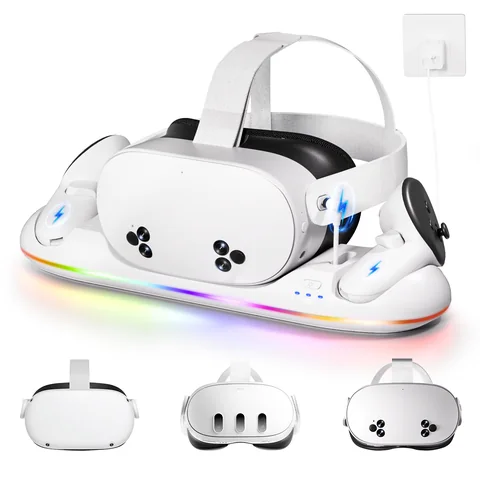
WATCHMYVR Fast Charging Dock for Quest 2 / 3 / 3S
Features magnetic quick-connect adapters, simultaneous headset & Touch controller charging, dynamic RGB ambient lighting, and smart IC overcharge protection.
- Universal compatibility for Quest 2, Quest 3 & Quest 3S
- High-speed power transfer with zero port strain
- 18-month extended replacement warranty
The Role of Smart IC Chips in Battery Health and Overcharge Protection
Modern charging dock units have become smart peripherals. Equipped with advanced smart IC chips, these stations monitor the charging status of your device and automatically terminate power flow once a full charge is reached. A dock prevents USB-C port wear. It uses smart IC technology to optimize your battery life and keeps your equipment ready to grab and go, saving you from common VR management problems. This intelligence is vital for maintaining the longevity of high-end VR devices.
LED Indicator Systems: More Than Just Aesthetics
The LED indicator system found on premium docks provides critical, real-time diagnostic data. For power users, these lights are not merely decorative; they provide essential confirmation of the charging status. A simple glance at the dock tells you exactly when your equipment is fully charged and ready for your next MR session, saving you from the frustration of picking up a dead device before a planned session.
AC to DC Power Adapters: Ensuring Stable Current for Mixed Reality Devices
Stability is essential. A reliable on the desk Charging Station must include a high-quality AC to DC power adapter. This ensures each component—the headset and two controllers—receives the correct, stable wattage simultaneously. Cheap, unbranded adapters often change power levels, which causes slow charging or possible damage. Certified units help your gear recover fully and quickly, ensuring your investment remains protected.
The Third-Party Strap Challenge: WATCHMYVR Battery HeadStrap, BOBOVR S3 Pro, KIWI design, and Halo Straps
A major pain point for VR enthusiasts is hardware conflict. Many premium head straps, such as the WATCHMYVR Battery HeadStrap, BOBOVR S3 Pro or KIWI design H4, add significant bulk that prevents standard cradles from functioning. When choosing a dock, prioritize open-frame architectures. If an accessory works with universal Halo Straps, it is highly likely to be future-proof for your evolving VR setup.
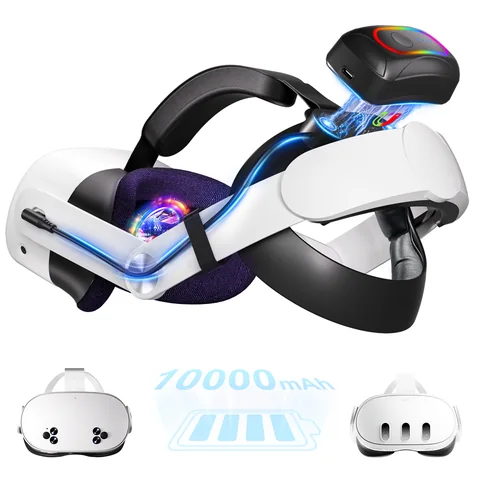
WATCHMYVR 10,000mAh Magnetic Battery Head Strap
Pair your dock with the ultimate comfort upgrade. Features hot-swappable magnetic 10,000mAh power pack, 50:50 weight counterbalance, and open-frame dock compatibility.
Buy Battery Strap on AmazonController Battery Covers: Integrated Charging Contacts vs. Universal Grips
To enable wireless charging for your Touch Plus controllers, you must typically replace the standard factory battery covers. Use the contact-integrated battery covers provided by the dock manufacturer. Always verify compatibility with your controller skins, as some thick third-party grips may inadvertently block the charging contacts, preventing the dock from reaching the batteries.
Accommodating External Devices: USB-C Audio Headphones and Link Cables
If your setup includes USB-C audio headphones or high-speed data cables for PC-VR, verify that your chosen dock offers sufficient clearance. Well-made stations keep your peripheral ports easy to reach. You can keep extra devices connected while the main unit charges, which helps keep a smooth, professional setup.
All-in-One 3-in-1 Charging: Headset, Touch Plus Controllers, and Spare Packs
The 3-in-1 charging solution is the gold standard for power users. Centralizing the headset, controllers, and extra battery packs in one station clears your desk space. It also ensures every part of your system is ready to use, which reduces downtime and improves overall organization.
Wireless Charging Cradles: The Future of Frictionless Docking
Wireless charging cradles represent the future of VR ergonomics. By removing the need to manually align pins, these docks allow you to simply set your headset down and walk away, creating a seamless connection that feels like second nature.
The B100 Battery System and Power Swap Design Integration
These stations often support backup battery modules, such as the B100 system. Charging these alongside your main unit allows for "hot-swapping," which provides virtually unlimited uptime for long work sessions or endurance gaming. For users committed to high-performance XR Accessories, this integration is a total game-changer.
Reducing USB-C Port Wear-and-Tear: Preventing Costly Port Failures
A dock prevents USB-C port wear by eliminating the need to insert and remove a USB-C cable daily. It uses smart IC technology to keep your battery healthy, and it ensures your equipment is always ready to use. This saves you from common problems with modern VR management, such as loose ports or internal connector damage.
Protecting the Internal Battery Capacity: "Protect Battery" Software and Smart Docks
Meta’s "Protect Battery" software, which limits maximum charge levels to preserve cycle life, works best when paired with a smart dock that supports a controlled float charge. This combination keeps your battery capacity high for a long time, making sure your device stays powerful for years rather than months.
Mitigating Micro-abrasions and Physical Damage through Stable Docking
A high-quality dock protects your device by providing a stable, secure home. It reduces small scratches that could damage your visual experience, keeping your expensive lenses safely suspended away from hard surfaces and accidental drops.
Physical Architecture Differences: Why One Size Doesn't Always Fit All
The Quest 3 and Quest 3S headset models have distinct physical dimensions. Always make sure your dock has modular spacers or adjustable cradles to fit the differences between devices. This is important in homes where both devices are used.
Battery Life Disparity: How Charging Needs Differ Between the 3 and 3S
The two models utilize different battery architectures. A smart dock detects the power needs of the Quest 3S headset and the standard Meta Quest 3. It adjusts the output automatically to ensure the best charging speed for each device.
Choosing a Dock That Supports Both for Multi-Headset Households
Investing in a multi-model dock saves you from the clutter of multiple power bricks. Choose wide-cradle stations that work with various VR devices; they are highly cost-effective for shared homes or professional collaborative spaces.
The Professional Creator: Multi-Battery Management and Fast-Charging Needs
Professional creators need consistent uptime. They also require fast-charging capabilities. If you use your hardware for work, choose stations like WATCHMYVR Charging Dock that can charge multiple batteries simultaneously, keeping your gear ready for production without long breaks.
The Fitness Enthusiast: Sweat Resistance and Easy-Clean Magnetic Connectors
A dock with an open-air design helps your facial interface dry better after intense workouts, preventing moisture from damaging internal sensors. Additionally, magnetic connectors are far easier to clean with disinfectant wipes than standard ports, ensuring high hygiene standards for your daily fitness routine.
The Minimalist: Aesthetic Integration and Desktop Cable Management
For the minimalist, the right dock is about clean lines. By housing all necessary cables within one base, you transform your VR setup into a sleek, professional piece of desk decor, effectively hiding the technical complexity of your rig.
Benefits of Upgrading to Smart Charging Docks
Upgrading to a smart charging station offers clear advantages: it extends your hardware's lifespan, eliminates desk clutter, and ensures your device is ready for use. By using magnetic charging and advanced power management, you protect your USB-C port and optimize your overall battery life.
Why Dedicated Charging Docks Enhance Meta Quest 3 VR Experience
Docks transform your VR setup from a collection of loose components into a cohesive, professional system. Always look for genuine licensed products that come with an Extended warranty like WATCHMYVR Charging Dock. If you encounter performance issues, check the manufacturer's support page or reach out to their customer service team for assistance.
Frequently Asked Questions (FAQ)
Is a Meta Quest Charging Dock Worth It?
A high-quality charging dock is more than just a place to rest your device it is the hub of a professional grade virtual reality and mixed reality ecosystem. By preventing USB-C port degradation, optimizing your battery life through smart IC technology, and ensuring your equipment is always "grab-and-go" ready, a dock saves you from the persistent frustrations of modern VR management.
When shopping for your Meta Quest 3/3S, prioritize genuine licensed products that offer an 18-month or Extended warranty, like WATCHMYVR Charging Dock to ensure safety. Invest in a solution that fits your specific head strap today, and enjoy a clutter-free, high-performance experience every time you step into the virtual world.