
Quest 3 Link Cable Buying Guide (2026):
How to Choose the Best Cable for PCVR
In 2026, the Meta Quest 3 remains the definitive choice for enthusiasts seeking a premium, high resolution immersive experience. While wireless solutions have improved, the reality of high fidelity PC VR remains tethered to the physical reliability of a high speed Link Cable. Whether you are pushing your VR headset to the limit in graphically demanding titles like Half Life: Alyx or exploring expansive simulation environments, the connection quality between your PC and your headset is the foundation of your experience. High-quality PC VR still requires a fast, stable connection to eliminate latency and image artifacts. This guide navigates the complexities of modern tethered VR, helping you move past old wireless limits to achieve zero-latency performance.
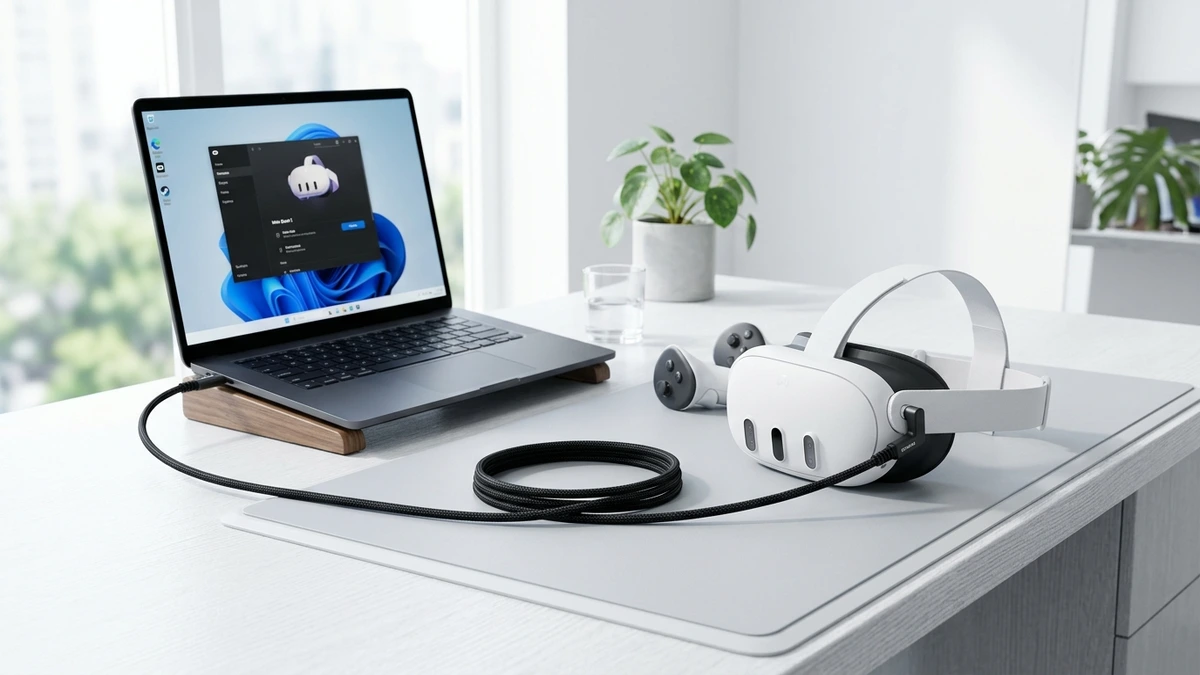
Quick Comparison: Top Quest 3 Link Cables at a Glance
Here is how the top PCVR Link Cables compare across bandwidth, active charging capability, material build, and value:
| Cable Model | Speed Rating | Power Delivery | Jacket & Length |
|---|---|---|---|
| WatchMyVR Powered Link Cable | 5 Gbps | Charge-Injection Port (100% Battery) | Braided Nylon (16 ft / 5 m) |
| WatchMyVR USB 3.2 Gen 1 Cable | 5 Gbps | Standard USB Bus Power | Braided Nylon (16 ft / 5 m) |
| Official Meta Quest Link Cable | 5-10 Gbps | Standard USB Bus Power | Fiber-Optic Core (16 ft / 5 m) |
| INIU / Kuject Powered Cables | 5 Gbps | Charge-Injection Port | PVC / Braided Nylon |
| AMVR High-Performance Cable | 5 Gbps | Standard USB Bus Power | Reinforced PVC / Nylon |
The Latency Gap: Physical Tethering vs. Air Link and Wi-Fi 6E/7
While wireless streaming via Air Link has matured, it still operates under the laws of physics. Every frame must be encoded, compressed, and broadcast over your home network. Even with Wi-Fi 6E or 7, micro-latency—the enemy of immersion—persists. A dedicated Meta Quest Link cable provides a direct, high-bandwidth pipe that bypasses network congestion and encoding overhead. Physical cables are the only way to avoid the "compression stutter" common in wireless setups, ensuring that your inputs are mirrored instantly in the virtual environment.
Standalone vs PCVR Note
When playing standalone Meta Quest 3 games without a PC, battery runtime is your primary restriction. To overcome standalone power limits, check out our 10,000mAh magnetic battery head straps.
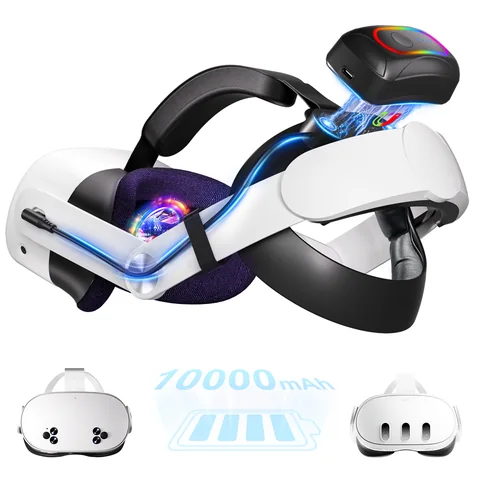
WATCHMYVR 10,000mAh Swappable Battery Strap
Halo-style comfort head strap with hot-swappable magnetic power pack. Extends standalone play by 4-6 hours with zero facial pressure.
Visual Fidelity: Maximizing Bitrate for the Quest 3’s Higher Resolution
the Meta Quest 3 boasts significantly higher resolution than the Quest 2 or the Quest Pro. You should push your encoding bitrate to its highest limit. This makes sure the visuals match your PC's output. It keeps textures clear during complex effects or fast movements. By pushing your encoding bitrate to its absolute ceiling, you ensure the visual fidelity matches your PC’s rendering output, maintaining crisp textures even during complex particle effects or high-motion sequences.
Stability in Competitive Play: Avoiding Interference in Busy Wi-Fi Environments
If you live in an urban environment, your local airwaves are likely saturated with interference. Even the most robust Wi-Fi 7 router can suffer from packet loss under heavy load, causing dropped frames. Using a wired Meta Link creates a strong connection. It protects your tracking data and video from radio-frequency interference. This keeps your competitive skills sharp and steady. It makes sure your movements in virtual space are not affected by network lag or signal drops. These problems often happen with Pico 4 or older headsets.
USB 3.0 vs. USB 3.2 Gen 1: Clearing Up the Naming Confusion
The USB naming standard is a notorious mess. For the best performance, look for cables labeled USB 3.2 Gen 1 (formerly USB 3.0). These cables offer the 5Gbps throughput necessary to handle the high-resolution, high-refresh-rate stream required by the Meta Quest 3. Avoid cheap, non-certified USB 2.0 cables, which will throttle your image quality and limit your potential in the Meta Horizon Link app or the legacy Oculus PC App.
Bandwidth Requirements: Why 2.5 Gbps is the Magic Number
While your cable should be rated for a 5Gbps maximum theoretical limit, real-world data transfer during active PC VR play usually hits a ceiling around 2.5 Gbps. Cables that cannot keep the needed bandwidth often have poor shielding or low-quality materials. The Meta Quest software will then warn about connection problems. This causes stuttering or disconnects during intense gameplay, highlighting the need for quality-verified hardware that maintains a constant stream without packet loss.
Active Signal Boosters: Maintaining Data Integrity Over 16+ Feet
Physics is unforgiving; data signals degrade over distance. Any cable longer than 15 feet (5 meters) requires an active signal booster (an internal repeater) to maintain signal integrity. Without this active circuitry, the high-speed data packets needed for PC VR will lose their coherence. Always verify that your chosen cable is "active" if you require a longer reach for room-scale setups, as this ensures your tracking data remains precise across the full cable length.
Fiber-Optic vs. Copper: Weight, Flexibility, and Signal Loss
Fiber-optic cables, such as the official Meta Quest Link cable represent the pinnacle of tethered performance. Fiber-optic cables use light to send data, meaning they are not affected by electromagnetic interference. They are also much thinner than copper cables. For long gaming sessions, lighter and more flexible cables pull less on your head strap, making them more comfortable than heavier, older third-party cables, allowing you to play for hours without feeling the "drag" of a stiff wire. But those cables are starts from $60 and produce 10Gbps maximum theoretical limit which is almost unnacessary for quest gaming.
Solution: A Good Quality Copper Cable
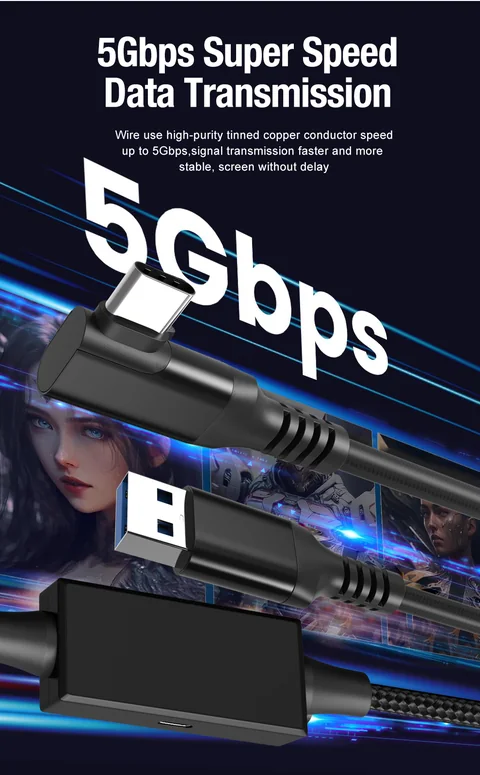
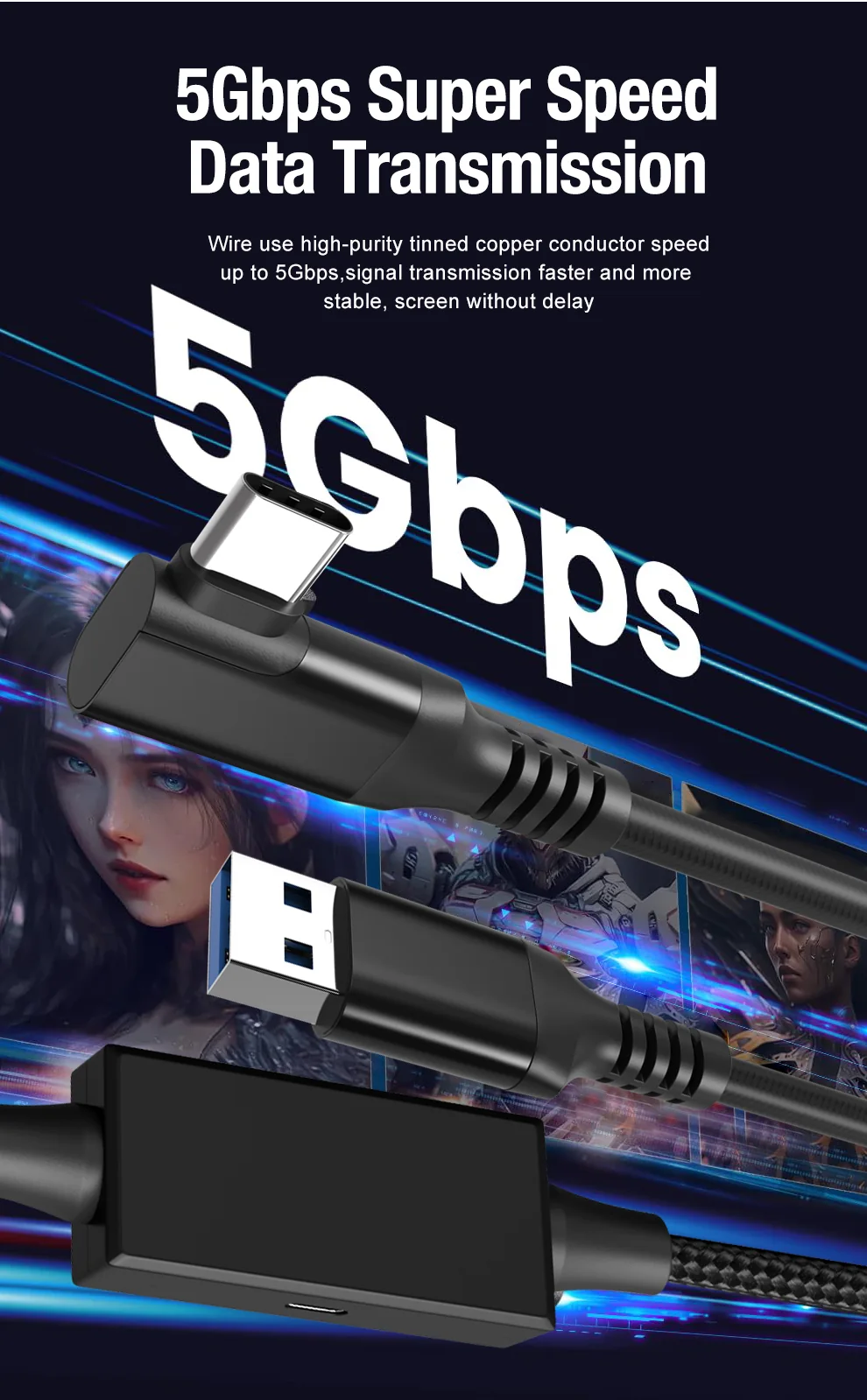
For Quest PCVR gaming, an expensive fiber-optic cable is not always necessary. A quality copper cable supporting up to 5 Gbps, such as the WatchMyVR Link Cable, provides enough bandwidth for smooth and stable gameplay, making it a more cost-effective and worthwhile choice.
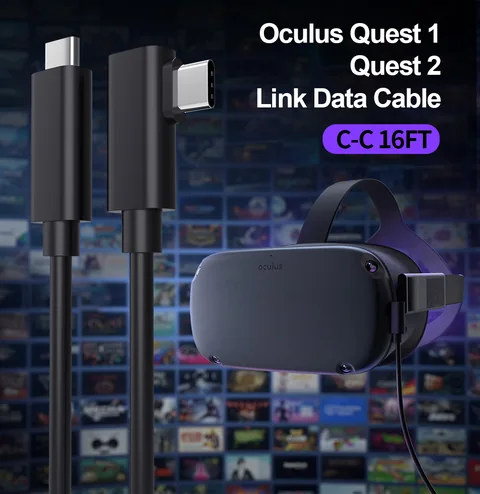
WATCHMYVR VR Link 5m C-to-C Data Cable
16FT (5M) USB 3.2 Gen 1 (5Gbps) high-speed VR data cable with 90° right-angle connector. Smooth 2.5 Gbps real-world throughput.
Understanding Quest 3 Power Consumption vs. USB Bus Power
the Meta Quest 3 needs more power when it is decoding video and tracking at the same time. This power is not enough. The headset uses a lot of power for video decoding and tracking simultaneously. This leads to battery drain, where the device consumes energy faster than a standard motherboard port can replenish it, forcing you to end your session prematurely.
The Problem with Standard Motherboard USB-C Ports
Most motherboards, even those on high-end gaming rigs, only supply between 0.9A and 1.5A through their USB-C ports. This is fundamentally insufficient to satisfy the Meta Quest 3’s appetite while it is simultaneously performing intensive video decoding and tracking. Relying on motherboard power alone is the primary reason why many users experience battery decay during long-form play, regardless of how "fast" the data transfer is.
Solution: Powered Link Cables (Power Delivery and Charge-Injection)
For marathon sessions, you need a "powered" Link Cable like WatchMyVR Link Data and Charging cable. These cables add a charging port. They let you charge your headset while playing. This fixes battery drain without costly PC upgrades or extra battery packs. You inject steady, high-power electricity directly into the Quest 3S or Meta Quest 3. This keeps your battery at 100% all the time. It lets you explore your favorite VR worlds without stopping.
WATCHMYVR VR Link 5m Powered Charging Data Cable
Combines 5Gbps PCVR data sync with a dedicated charge-injection port to keep your Meta Quest 3 / 3S at 100% battery indefinitely.
Right-Angle Connectors: Protecting the Quest 3’s USB-C Port
Always prioritize cables featuring a 90-degree right-angle connector on the headset side. A straight plug acts as a long lever that puts stress on the port every time you turn your head. A right-angle plug hugs the head strap, minimizing torque and preventing the port from wearing out or snapping during active play, which is critical for the long-term health of your VR headset.
Cable Jackets: Braided Nylon vs. PVC for Tangle Resistance
Never settle for thin, sticky PVC jackets. Braided nylon cables are the industry standard for durability. They resist kinking, are significantly easier to untangle, and prevent the cable from catching on furniture. A high-quality braided jacket also protects the internal wiring from friction, extending the lifespan of your investment in high-quality hardware.
Insertion Cycles and Connector Reinforcement: Preventing "Wiggle" Disconnects
Your Link Cable will experience thousands of connection events. Look for cables that boast high insertion cycles and reinforced metal collars at the connectors. This "wiggle-proof" design keeps the connection tight even during strong movement. It stops sudden audio drops or black screens caused by loose connections, ensuring your link remains physically seated and stable even in the most intense action games.
Top Link Cable Recommendations for Quest 3 & Quest 3S
The Premium Choice: Official Meta Quest Link Cable (Fiber-Optic)
the official Meta Quest Link cable remains the benchmark for performance. Its fiber-optic design provides the absolute best weight-to-performance ratio and signal purity. If your budget allows, it is the most reliable choice for a seamless, "just works" experience within the Meta Quest ecosystem.
The Worthwhile Choice: WatchMyVR USB 3.2 Gen 1 Link Cable
For gamers who do not need to spend extra on fiber-optic technology, the WatchMyVR Link Cable is a worthwhile choice. Its USB 3.2 Gen 1 connection supports up to 5 Gbps data transfer, while the 5 m / 16 ft length and 90° USB-C connector provide plenty of room and convenient cable routing for PCVR gaming. It offers the performance most Quest users need without the premium expense of a fiber-optic cable.
WatchMyVR 16FT Link Cable
High-speed USB 3.2 Gen 1 (5Gbps) 16ft/5m braided cable with 90° right-angle connector for Meta Quest 3, 3S, 2 & Pro.
Browse Accessories Buy Powered Cable on AmazonThe "Infinite Play" Choice: WatchMyVR, INIU and Kuject Powered Link Cables
Brands like INIU, Kuject, and WatchMyVR offer powered Link cables with a dedicated charging port for external power support while playing. The WatchMyVR Powered Link Cable combines PCVR data connectivity with an extra charging port, helping reduce battery drain during longer gaming sessions. It is a practical option for players who want extended playtime without relying only on the headset battery or an external battery pack.
The Durability Specialist: WatchMyVR Data Link Cable
For users who play active, movement-heavy PCVR games, the WatchMyVR Link Cable is built with durability in mind. Its braided cable design, reinforced connectors, and 90° USB-C plug help reduce bending and everyday wear. It is a strong choice for gamers who want a tougher cable that can better handle frequent movement, pulling, and long gaming sessions like KIWI design Reinforced Cables.
The Performance Alternative: AMVR High-Performance Link Cables
AMVR High-Performance Link Cables like WatchMyVR Data Link Cable offer a fantastic middle ground. They provide high-speed data throughput and durable construction that rivals the official cable at a fraction of the price. They are an excellent, high-value choice for those who need reliable performance without the premium cost of official branding, ensuring your PC VR setup stays within budget.
Hardware & System Optimization for PCVR
Motherboard Bottlenecks: Identifying High-Speed USB 3.2 Ports
Always plug your cable into the rear I/O panel of your motherboard, specifically the USB 3.2 port—typically color-coded in red or blue. Do not use front-panel USB headers. They often provide less power and have poor shielding. This can cause connection problems or data errors that hurt your Meta Quest headset's performance.
GPU Requirements: From NVIDIA GTX 1060 Legacy to RTX 40/50 Series Standards
While the minimum requirement for basic VR is the NVIDIA GTX 1060 or AMD Radeon RX 480, the Meta Quest 3 demands more for high-fidelity settings. Ensure your drivers are fully updated through the Meta Horizon Link app to take advantage of modern encoding protocols. Whether you are using an old graphics card or an RTX 40/50 series, the link cable lets your GPU reach its highest resolution. This gives you the visual quality you expect from modern PC VR games.
Drivers and Windows 11 Optimization for PCVR
To optimize Windows 11 for PCVR, navigate to the Device Manager and locate your USB Root Hubs. Right-click and disable "Allow the computer to turn off this device to save power" under the Power Management tab. This prevents Windows from throttling your connection during long sessions, ensuring your PC VR experience remains stable and fluid. Additionally, ensure your Meta account is correctly signed in to the latest software versions to avoid authentication delays.
Meta Horizon Link Setup & Diagnostics
Transitioning from Oculus PC App to the Meta Horizon Link App
The industry is moving toward the Meta Horizon Link app, which offers a more unified interface than the legacy Oculus PC App. If you are upgrading, perform a clean install. Clearing out old Oculus Link drivers is essential to prevent conflicts. Using the Meta Horizon system keeps you compatible with the newest features. This includes Developer Mode settings for advanced adjustments.
Using the Integrated "USB Connection Test" Tool
Before your first session of the day, run the built-in "USB Connection Test" within the Meta Horizon Link app. This tool verifies that your cable is negotiating a full 3.0+ protocol. If it reports a speed below 2.0 Gbps, troubleshoot your USB port or cable immediately. Consistency here is the difference between a glitch-free session and a crash.
Frequently Asked Questions About Meta Quest 3 Link Cables
Some generic accessories, such as certain USB cables or headphones, may work across devices. However, model-specific head straps, facial interfaces and fitted cases should always be checked for Quest 3 compatibility. consistently.
Best Link Cable Setup for Smooth PCVR Gaming
Choosing the right Link Cable is key for a good PC VR experience. Focus on fiber-optic design, power-injection to prevent battery drain, and fast, reliable data transfer to avoid wireless streaming issues. For demanding VR games like Half-Life: Alyx or large simulations, the PC-to-headset connection is crucial. Whether using Quest 3S, Meta Quest 3, Quest 2, Quest Pro, or Oculus Rift, a quality cable ensures your PC's power and graphics reach your eyes clearly. Pick reinforced cables from brands like WatchMyVR, KIWI design or AMVR High-Performance Link Cables, and optimize Windows power settings for a stable connection. With the right gear and a clean Meta Horizon Link setup, you can enjoy PC VR at its best. Always prioritize hardware with high insertion cycles and ensure your drivers are updated to maintain this performance long-term.