
What Accessories Do I Need for Meta Quest 3?
A Beginner's Guide
You do not need to buy every Meta Quest 3 accessory on day one. For most beginners, the most useful upgrades are a comfortable head strap, battery solution, controller grips, lens protection, and if you want wired PCVR a Meta Quest 3 Link cable.

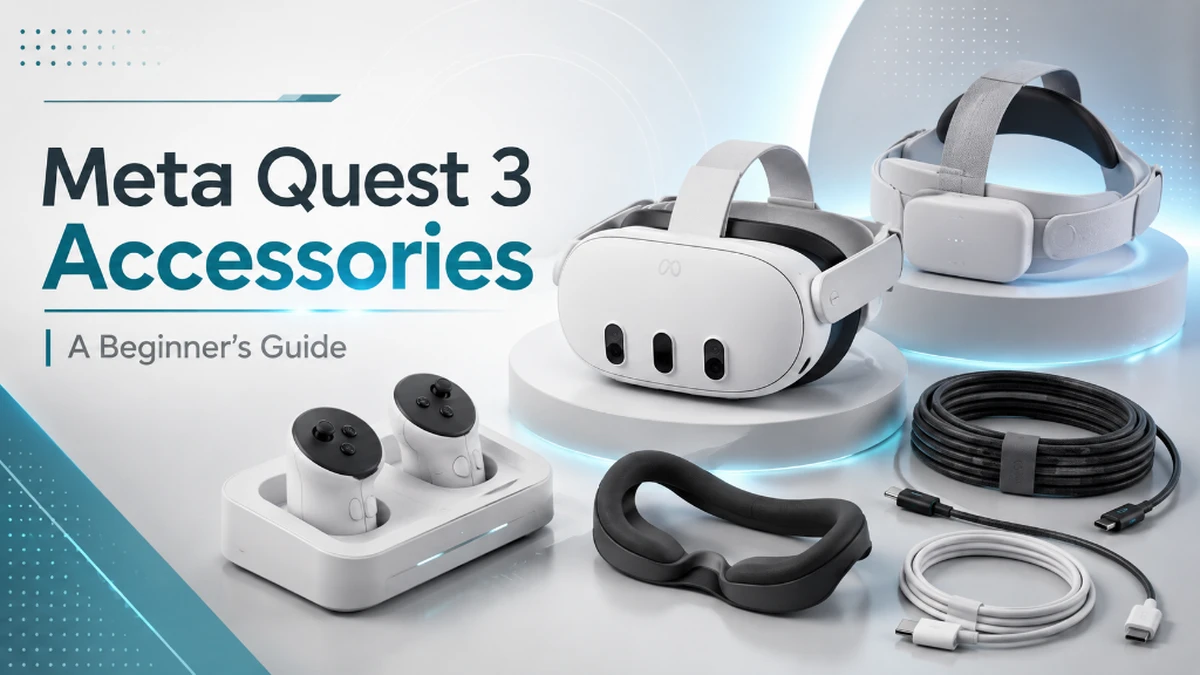
Quick Answer: What Accessories Do You Need for Meta Quest 3?
If you are new to Quest 3, buy accessories based on the problem you want to solve rather than buying a large bundle.
| Accessory | Priority | Best For |
|---|---|---|
| Comfortable head strap | High | Comfort & stability |
| Battery head strap | High | Longer VR sessions |
| Face cover / interface | Medium | Hygiene & comfort |
| Controller grips | Medium | Active VR games |
| Charging dock | Optional | Charging convenience |
| Link cable | PCVR only | Wired PC gaming |
| Lens protection | Medium | Protecting the headset |
For most users, the best order is: comfort first, battery life second, protection third, and then convenience accessories.
1. A Better Meta Quest 3 Head Strap
A head strap is one of the first Meta Quest 3 accessories for beginners worth considering. The included fabric strap keeps the headset lightweight, but some users prefer a more structured design for better stability and easier adjustment.
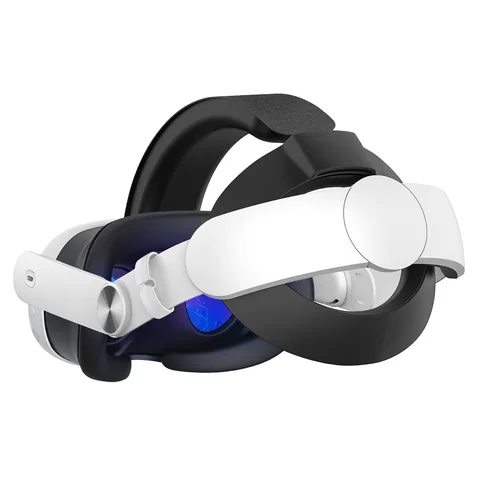
A good Quest 3 comfort strap should be easy to adjust, secure during movement, and padded where it contacts the back or top of your head.
Beginner tip
If your headset starts feeling uncomfortable during normal play, upgrade the head strap before buying decorative accessories.
2. Meta Quest 3 Battery Head Strap
A Meta Quest 3 battery head strap combines two useful upgrades: a more supportive strap and additional power for longer sessions.
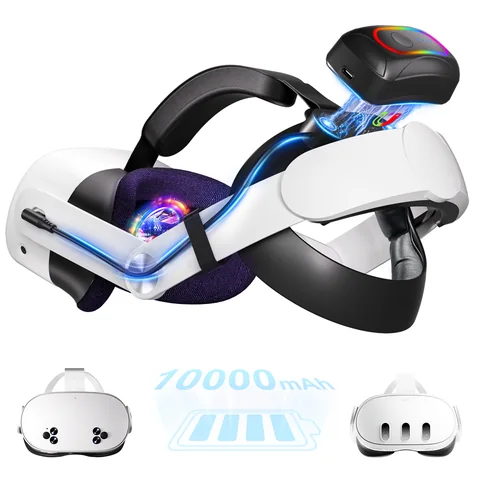
What should you look for in a Quest 3 battery head strap?
- Comfort: padding and adjustment should still be good after the battery is added.
- Weight balance: the battery should help balance the headset rather than simply making it heavier.
- Battery capacity: choose based on how long your typical VR sessions last.
- Charging protection: powered accessories should clearly state their charging and safety features.
- USB-C cable placement: the power cable should stay out of the way during movement.
3. Facial Interface or Face Cover
Your facial interface is the part of the headset that stays in contact with your face. A washable or wipeable Quest 3 face cover can be especially useful for fitness games, shared headsets, and people who sweat during longer sessions.
A simple cover fits over the existing interface, while a replacement facial interface can change the padding, ventilation, or fit around your face.
4. Controller Grips or Knuckle Straps
Quest 3 controllers already include wrist straps, so additional grips are not essential. However, Quest 3 controller grips can be useful for boxing, rhythm, fitness, sports and other active VR games.
Knuckle-style straps can help keep the controllers attached to your hands even when your fingers relax, which can make active gameplay feel more secure.
5. Meta Quest 3 Charging Dock
A Meta Quest 3 charging dock is a convenience upgrade rather than a must-have accessory. Its main benefit is giving your headset and compatible controllers a dedicated place to charge and stay organized.
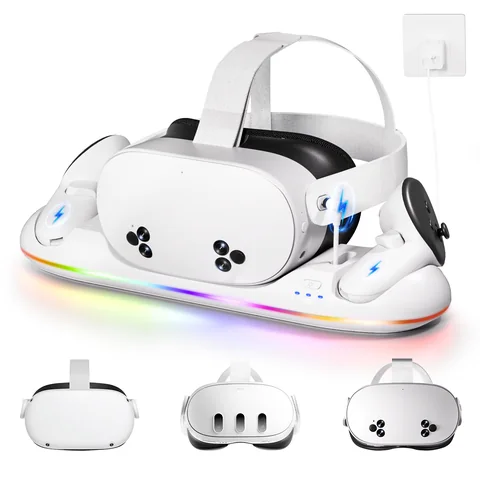
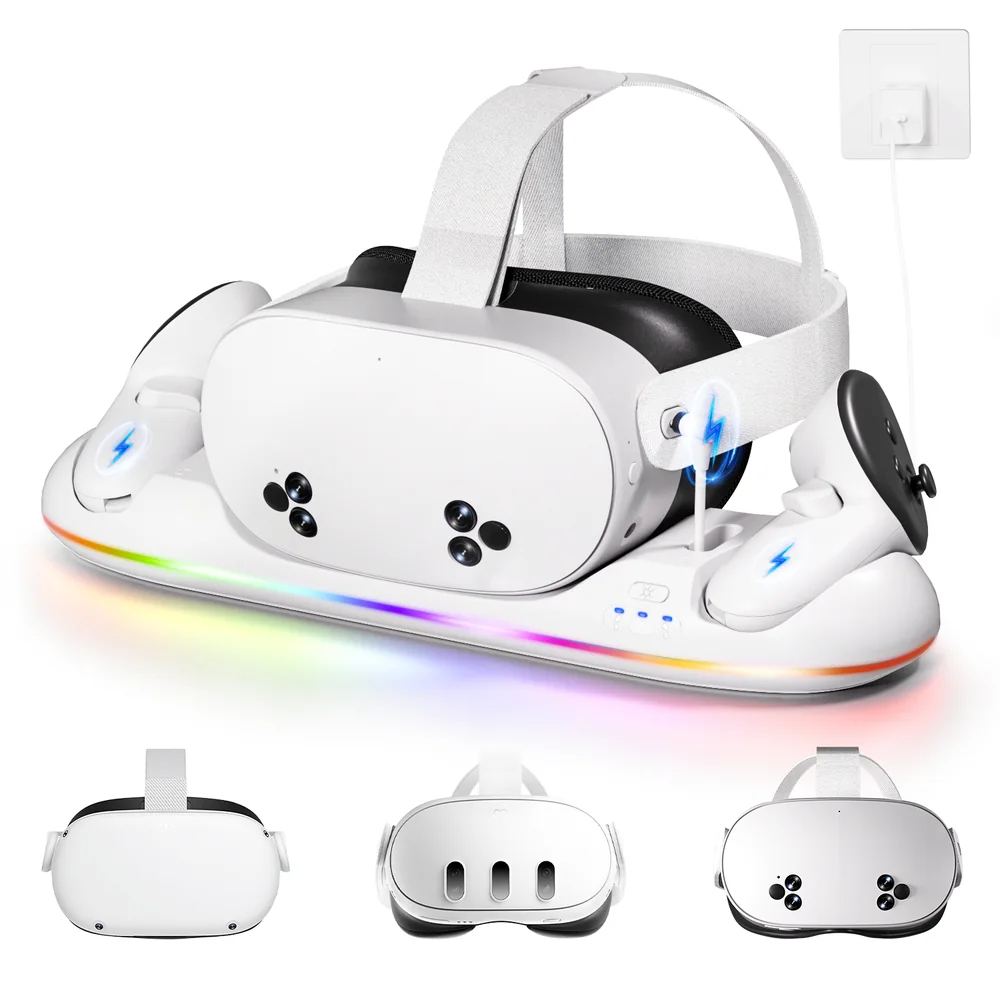
If your budget is limited, buy comfort and protection upgrades first. Consider a charging dock later if you use your Quest 3 frequently.
6. Meta Quest 3 Link Cable for PCVR
Do I need a Link cable for Meta Quest 3?
No. Quest 3 works as a standalone VR headset. You only need a Link cable when you want a wired connection to a compatible gaming PC for PCVR.
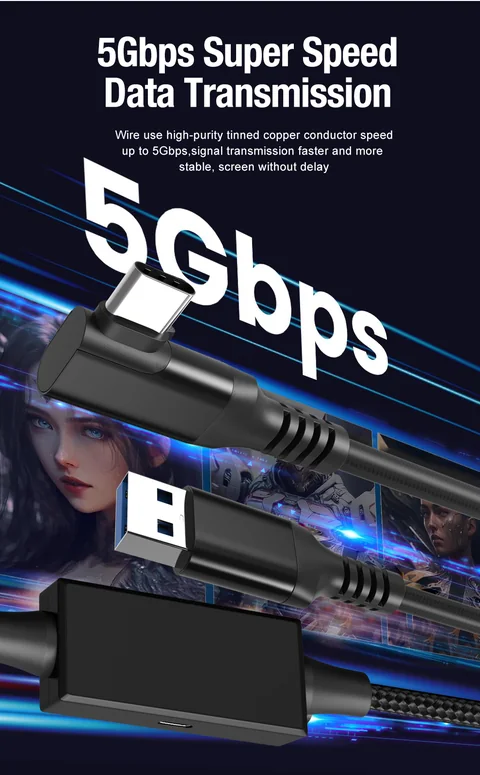
What should a Quest 3 Link cable have?
- USB data support suitable for PCVR.
- Enough length for your gaming space.
- A lightweight cable that does not pull on the headset.
- A secure USB-C connector.
- Good cable management during room-scale play.
7. Carrying Case and Lens Protection
Protection accessories are not exciting, but they can be among the most sensible purchases for a new VR headset. A fitted carrying case helps protect the headset during storage and travel, while a soft lens cover helps keep dust and accidental contact away from the lenses.
Carrying Case
Useful if your Quest 3 travels between rooms, homes, events or gaming sessions outside the house.
Lens Protection
A simple cover and microfiber cloth help protect the part of the headset you look through every session.
8. Meta Quest 3 Accessory Buying Checklist
Before buying any accessory, check these points:
Confirm Quest 3 Compatibility
Model-specific straps, facial interfaces and cases may not fit older Quest headsets.
Buy for a Real Problem
Choose accessories for comfort, battery life, protection, PCVR or charging—not just because a bundle includes them.
Check Accessory-to-Accessory Compatibility
A large battery strap may not fit every carrying case, and some controller grips can interfere with certain charging solutions.
Prioritize Comfort and Safety
For powered accessories, look for clear specifications and charging protections. For wearable accessories, prioritize fit, padding and weight.
Which Accessories Should You Buy First?
Casual Beginner
- Comfort head strap
- Lens protection
- Face cover
Long-Session Gamer
- Battery head strap
- Comfortable face interface
- Controller grips
VR Fitness User
- Secure head strap
- Wipeable face cover
- Controller grips
PCVR Player
- Comfort head strap
- Link cable or suitable wireless setup
- Battery solution
Frequently Asked Questions About Meta Quest 3 Accessories
Some generic accessories, such as certain USB cables or headphones, may work across devices. However, model-specific head straps, facial interfaces and fitted cases should always be checked for Quest 3 compatibility. consistently.